
Every customer gets their price.
Customer-specific and tiered pricing in the shop. No duplicate maintenance, no chaos.

Commerce2GO Functions
Customer-specific prices, tiered pricing, and smart assortments: Commerce2GO brings central B2B functions to your Shopify shop and connects it with Microsoft Dynamics 365 Business Central. This way, your shop, ERP, and B2B processes seamlessly integrate – without unnecessary duplicate maintenance.
Customer-specific and tiered pricing in the shop. No duplicate maintenance, no chaos.
Customer-specific assortments control who sees what. Directly from your ERP and without manual updating in the shop.
Orders, items, inventory – all synchronized. Business Central is the leading system. Whatever you change there automatically appears in the shop.
In B2B business, unit pricing is out. With Commerce2GO, you can assign individual prices per customer group.
Logged-in B2B customers see their prices without VAT – exactly as is standard in the business customer sector.
Visitors who are not logged in see standard prices. Optionally, you can also make the shop completely accessible only to logged-in customers.
You create customer groups in Business Central and assign individual price lists to them. Commerce2GO automatically transfers these assignments to the shop. Your customer always sees exactly their price when logging in, without you having to manually adjust anything in the shop.
Tiered pricing is standard in B2B. With Commerce2GO, you maintain your volume discounts directly in the B2B layer (manually or via CSV) and the shop displays them automatically.
Transparent, clear, and with no extra effort for you.
The best part: tiered pricing and customer-specific prices can be combined. Customer A from the "Wholesale" group receives a different price for 10 units or more than Customer B from the "Retail" group.
Price levels are clearly and simply displayed in the shop. No inquiries, no misunderstandings. Purchasing decisions made easy.
With Commerce2GO, you control which items are displayed to which customer groups. Directly from Business Central. This keeps your shop clear and ensures your customer only sees what is truly relevant to them.
No noise, no distractions.
You enter article data, product information, product images, and additional data once in Business Central, and Commerce2GO automatically transfers them to the shop.
Business Central is your single source of truth. Any changes you make there are immediately visible in the shop.
Do you want to specifically structure, filter, or display products in the shop for certain customer groups? With a suitable interface extension, tags from Business Central can be made usable in Shopify.
The interface between Shopify and Microsoft Dynamics 365 Business Central is the core of Commerce2GO. Orders, item data, and stock levels are automatically synchronized. If desired, the interface can also be extended so that tags from Business Central can be used in Shopify – for example, for product structuring, filters, or customer-specific assortments. This function is flexibly adjustable but is not part of the Business Central standard. In this way, Business Central remains your central database, while your shop uses exactly the information that is important for your B2B commerce.
Less duplicate maintenance. Fewer errors. More clarity.
Order Sync
Shopify → Business Central, automatically
Order Sync
Shopify → Business Central, automatically
Item Data Sync
BC as a Leading System
Item Data Sync
BC as a Leading System
Inventory Sync
Real-time synchronization
Inventory Sync
Real-time synchronization
Metadata Transfer
Additional information from BC can be made available in the shop via tags.
Metadata Transfer
Additional information from BC can be made available in the shop via tags.
Day Transfer
Optionally expandable: Tags from Business Central can be made usable in Shopify via an interface extension.
Day Transfer
Optionally expandable: Tags from Business Central can be made usable in Shopify via an interface extension.
Auto-configuration
Business processes run out of the box
Auto-configuration
Business processes run out of the box
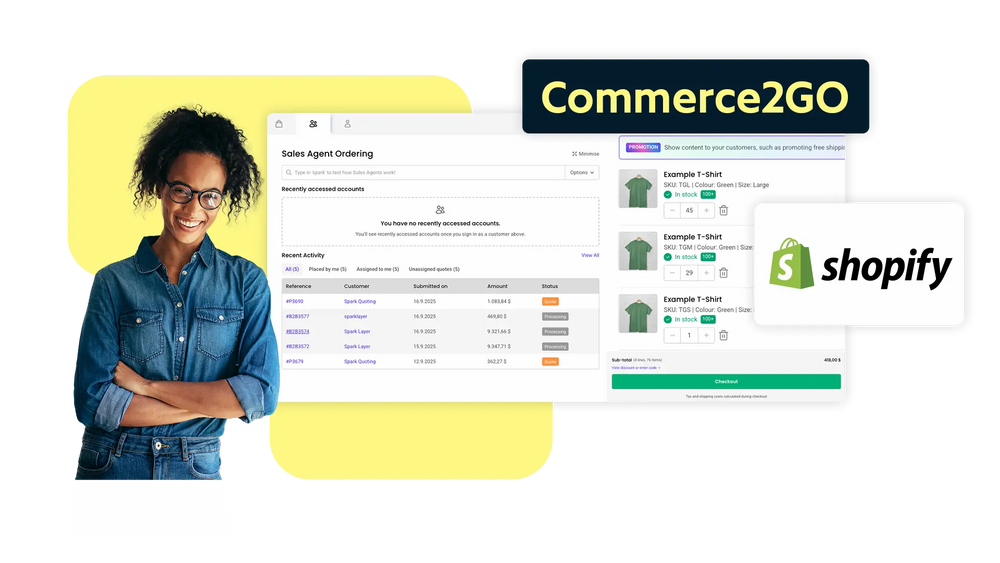
Automatic validation of VAT IDs directly in the ordering process. Legally compliant and without manual effort.
Multi-level company structures in the shop. Multiple users, one company, clear assignment.
Item links for spare parts shops. Your customer will always find the right part.
Individual shop content per customer group. For an even more personalized shopping experience.
Split orders across multiple cost centers and order on behalf of others.
Integration of a newsletter tool. For targeted B2B marketing.
Sell on Amazon, eBay & Co. Your shop, present everywhere.
Search engine optimization. So that your shop can be found.